

A little comfort
A friendly voice to talk your day through.
- Company on a quiet night
- Space to talk your day through
- Past stories that carry over
A little company. A real conversation.
Meet SudaCall. It remembers you.
A phone call, on your time.
Every reply is generated by AI · Android & iPhone

2026-10-14
Every conversation is generated by AI; the caller is not a real person.
See subscription detailsMade for your everyday
A friendly voice to talk your day through.

Phone games, language practice, and a laugh.
Talk your day through
Games out loud
Calls at the time you set
No call audio stored
What SudaCall is for
Built for the moments when a voice works better than a screen: a quiet night, a day you need to talk through, a slow afternoon.
Say what is on your mind, out loud, with no pressure.
Something to laugh at when you are bored, and something handy when you need it.

A little closer with every call
Your name and how you like to be addressed carry over.
Pick up the stories you shared on your last call.
Start politely, then agree on a more casual tone together.
Be a creator · Build a fan community with your voice
People who love your voice find your character, call again, and become your fans.
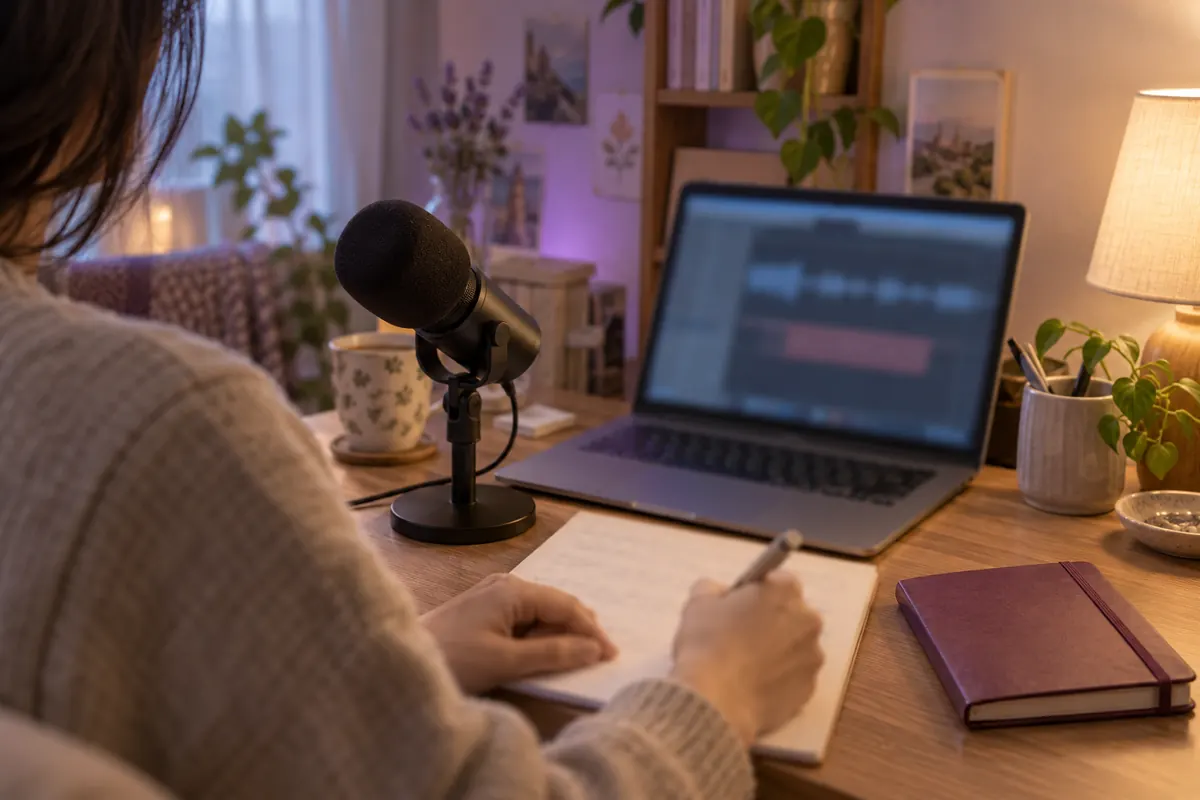
Register your own voice and style. Read and record a consent statement aloud to confirm it is your voice.
People who call your character can become fans. See how many people called your character this month.
Creators receive 10% of the payment amount for paid Suda actually used in calls with their character.
Free, bonus, and trial Suda count as ₩0 for earnings. The minimum payout is ₩10,000; smaller balances carry over. Earnings depend on actual call usage.
Creators
Register your own voice and style, and it becomes an AI character other people can call.
When you delete your account, creator voices and recordings are deleted right away.
How it works
Choose a friend and one of 9 personality styles.
Call first, or set up incoming calls.
Find a recap in your call history.
Illustrations of the experience.
How it works
Pick, pick up, and look back. The screens below are from the real app.

Choose Byeori, Seongjun, Yujeong, or Yeongseon, then a personality style. You can also rewrite how they talk.

Calls come on the days and times you pick, or at random. Call first whenever you like, and if you say “call me tomorrow around this time,” you will get that call.
Calls can arrive late depending on your phone's notification and battery settings.
A short summary and the full conversation are saved to your call history. Only you can see them.
| Topic | Typing to an AI chatbot | SudaCall |
|---|---|---|
| How you talk | You type | You talk on a call |
| Who starts | You open the app | It can call you at set times |
| Memory | Often starts over in each chat | Remembers names, tone, and past calls |
| Afterward | You scroll back through logs | A recap is waiting for you |
| For older adults | Typing can be hard | They just answer the phone |
The SudaCall dictionary
Names, tone, and past stories carry into your next call.
Set days and times, or choose random incoming calls.
A short summary stays in your call history.
Text follows phone settings, with a relaxed pace for older adults.
Make an AI character with your own voice and style.
Practice Korean with teacher characters and classes for your level.

A little hello, every dayA familiar voice can warm an ordinary day.
Room for a call
 Meet your AI friends
Four friends. Nine personality styles to choose from.
 For your parents
Check-in reports are shared only with your parent’s consent.
AI friends
Start with four friends, then make the same friend feel completely different with a personality style. They are all fictional AI characters.

A K-pop idol who debuted late after seven years as a trainee.

A one-man travel YouTuber with endless stories from the road.

A former news anchor turned TV shopping host who says what she thinks.

A psychology professor who would rather chat than analyze you.
All character images and backstories are fictional and made with AI. They are not real people.
The same friend can comfort you today and tease you tomorrow. Pick a style, or write your own.
Marcus, a high-school coach in Chicago. Camila, a night-shift nurse in Miami. Dylan, a coffee roaster in Portland. Ruth, a retired librarian in Vermont.
Practice Korean over the phone in free-talk, intermediate, or beginner classes. Your first call includes a quick, casual level check.
Call AI characters that creators made with their own voices. The AI does the talking, and creators never see your calls.
For parents
For parents who would rather pick up the phone than type, SudaCall is just a call to answer.
Turn it on at sign-up. Text size follows your phone settings. If no personality is chosen, their friend talks in the relaxed “Company for elders” style.
Send an invite from the app. Your parent installs SudaCall, signs up, and approves the connection themselves.
A few minutes after signing up, Byeori may call first to say hello, so there is nothing to figure out.
Only if your parent agrees, SudaCall sends you a check-in report from their calls.
The report is generated by AI from call transcripts. It is not a medical assessment. In an emergency, call 911.
Four steps to get started
Install SudaCall from Google Play or the App Store.
Sign in, add a nickname, and confirm your age.
Choose an AI friend in Contacts.
Call your friend or schedule incoming calls in Settings.
About
SudaCall is an AI voice call app made by CreamHouse, a software company in Seoul. Instead of typing into a chat box, the phone rings and you talk. It is company on a quiet night, a check-in for your parents, and a partner for games and language practice when you are bored.
| Category | AI voice call app |
|---|---|
| Made by | CreamHouse Co., Ltd. (Seoul, Korea) |
| Platforms | Android (Google Play) · iPhone (App Store) |
| Editions | English · Korean |
| Pricing | Start free · subscriptions from $4.99/month |
| Sign-in | Google · Apple (iPhone) |
| Language practice | Korean classes |
| Age | 18 and up |
Safety and privacy
You are talking to AI, not a real person. Every reply is generated by AI, and the call screen says so.
Calls are transcribed and processed by AI service providers so the service can work. See the Privacy Policy for details.
Summaries and conversations in your call history are visible only to you, never to creators or other users.
SudaCall is for ages 18 and up and may not be suitable for some minors.
Venting, even with strong language, is fine. If a conversation felt wrong, report it right from your call history.
SudaCall is not therapy or medical, legal, or financial advice. If you are in crisis, call or text 988. In an emergency, call 911.
CreamHouse may access call records only for service quality and safety, under internal controls. Read the Privacy Policy and the Crisis Response Protocol.
Simple pricing
Google Play · App Store
Then $9.99/month · Cancel in your store
Monthly
200 Suda
Monthly
340 Suda
Monthly
480 Suda
Korean top-ups · ₩2,900 / 95 Suda · ₩12,900 / 420 Suda · ₩23,900 / 780 Suda
Top-up credits never expire. US top-up prices are shown in the app.
Pricing
Start free. When you want more time, one subscription covers every AI friend, Korean class, and creator character.
$0
Start with free call time and use it with any character.
$4.99/ month
200 Suda each month.
$9.99/ month
340 Suda each month. First month free on Google Play and the App Store.
$14.99/ month
480 Suda each month.
A few things you may wonder
SudaCall is an AI voice call app. Instead of typing into a chat box, you talk with an AI friend over a phone call. It can call you at the times you choose, it remembers past calls, and every call leaves a recap.
No. You are talking to AI, not a real person. Every reply is generated by AI. Characters made by creators are also AI; the creator does not take part in your calls.
Yes, sign-up includes about 15 minutes of actual calls in the first month, usable with any character. Check the app for later free call allowances. The $9.99 plan has its first month free on Google Play and the App Store.
Monthly subscriptions are $4.99/200 Suda, $9.99/340 Suda, and $14.99/480 Suda. The $9.99 plan has its first month free on Google Play and the App Store. Korean top-up packs are ₩2,900/95 Suda, ₩12,900/420 Suda, and ₩23,900/780 Suda; credits never expire. US top-up prices and current local prices are shown in the app before purchase.
Yes. SudaCall is available on Google Play for Android and on the App Store for iPhone.
Start with four AI friends, Byeori, Seongjun, Yujeong, and Yeongseon, and change how they talk with nine personality styles. There are more AI friends such as Marcus, Camila, Dylan, and Ruth, Korean teachers for language practice, and AI characters that creators made with their own voices.
Yes. Pick the days and times you would like a call, and your AI friend rings you. If you agree on a time during a call, you will get that call. Calls can arrive late depending on your phone's notification and battery settings.
Call audio is not stored. Calls are transcribed and processed by AI service providers so the service can work, and the text record is visible only to you. Creators never see your calls. CreamHouse may access records only for service quality and safety, under internal controls.
Only if your parent agrees, SudaCall sends you a weekly check-in report from their calls, covering things like how often they called, mood, meals, and sleep. Recordings and transcripts are never shared. The report is generated by AI and is not a medical assessment. Your parent can turn it off at any time.
Creators receive 10% of the payment amount for paid Suda actually used in calls with their character. Free, bonus, and trial Suda count as ₩0 for earnings. The minimum payout is ₩10,000; smaller balances carry over. Earnings depend on actual call usage.
Creator registration is for people aged 19 or over. Register your own voice and style in the app, and read and record a consent statement aloud to confirm it is your voice. Other people’s voices cannot be registered. Names and descriptions are reviewed.
Cancel in the store where you subscribed: Google Play under Payments and subscriptions, or on iPhone under Settings, your Apple ID, Subscriptions. You keep access until the end of the paid period. Deleting your account does not cancel a subscription.
In the app, open Settings, then your profile, then Account, and tap Delete account. For 7 days you can undo it by signing in again; after that the account is deleted for good. Creator voice recordings are deleted right away. Can't use the app? Follow the account deletion guide .
SudaCall is for ages 18 and up and may not be suitable for some minors.
SudaCall is a friendly voice to talk to, but it is not therapy or medical, legal, or financial advice. If you are in crisis or thinking about suicide, call or text 988 (Suicide and Crisis Lifeline). In an emergency, call 911.
Yes, you can talk with an AI friend on a sleepless night. Sleep mode quietly ends the call when you fall asleep.
Yes, the English edition has Korean teachers for voice practice. The Korean edition has English, Japanese, and Chinese teacher avatars.
Yes, your AI friend remembers previous calls so you can continue your conversation. A recap stays in your call history after each call.
Yes, creators can make an AI avatar using their own voice by reading a consent statement aloud. Creators receive 10% of the payment amount for paid Suda used in calls with that avatar.
Your country at sign-up determines the app edition. SudaCall has Korean and English editions.
Both of you receive Suda when your friend signs up through your invite link and makes their first call.
Still have questions? Visit Support or email sudacall@creamhouse.net.
Make room for a little company
Free to download on Android and iPhone.
Ages 18+ · Every reply is generated by AI
Every conversation is generated by AI; the caller is not a real person.